

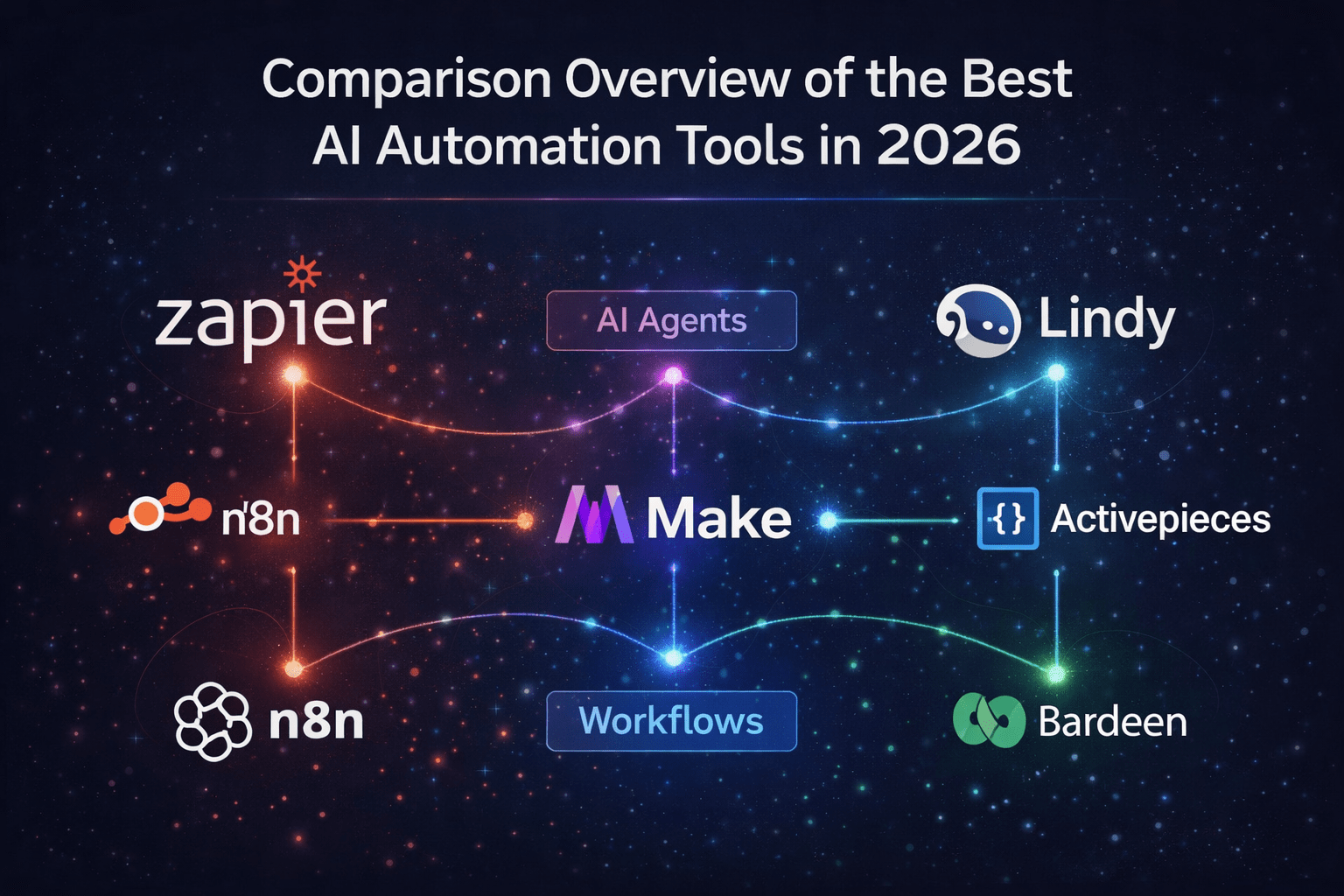
The best AI automation tools in 2026 are n8n (best for technical users and developers), Zapier (best for non-technical teams who need fast setup), and Make (best value for complex visual workflows). For AI agents that act on your behalf, Lindy is leading the pack. The right tool depends entirely on your technical skill level, budget, and how complex your workflows are. I break down all 10 tools below — with honest pricing, real pros and cons, and a plain English guide to which one fits your exact situation.
| Topic | Details |
|---|---|
| Article covers | 10 best AI automation tools of 2026 – reviewed and compared |
| Top pick for beginners | Zapier – easiest setup, 8,000+ integrations, no code needed |
| Top pick for value | Make – 10,000 operations for $9/mo vs Zapier’s 750 tasks for $20 |
| Top pick for developers | n8n – open-source, self-hostable, free at scale, AI-native nodes |
| Top pick for AI agents | 88% of organizations will be using AI in at least one business function in 2026 |
| AI automation market | Projected $226.8 billion in 2025, growing at 23%+ CAGR |
| ROI of automation | $5.44 return for every $1 spent on marketing automation (average) |
| Time saved | Workflow automation cuts repetitive tasks by up to 95%, saves 77% of time |
| Adoption rate | 88% of organizations using AI in at least one business function in 2026 |
| Who this is for | Freelancers, small businesses, marketers, developers, entrepreneurs |
Table of Contents
I’ll be straight with you: I’ve spent weeks going through these tools, reading hundreds of developer reviews, testing workflows, and comparing real pricing numbers. This is not a list of tools I heard were popular. This is a guide I wish I had when I first started building AI automations.
Here is why this matters right now, in 2026 specifically.
Workflow automation cuts repetitive tasks by up to 95% and saves teams as much as 77% of their time. Companies investing in automation have reduced operating costs significantly, and the average return on marketing automation alone is $5.44 for every $1 spent. The global AI automation market is on track to hit $226.8 billion this year.
But here’s the problem: there are now dozens of AI automation tools, and most comparison articles either list the most expensive tools with affiliate links, or lump completely different products together as if they’re comparable.
They’re not. n8n and Zapier are built for entirely different people. Lindy and Make solve completely different problems. Choosing the wrong one wastes months and money.
This article fixes that. I have organized these tools by who they are actually for — not by which company paid for placement. By the end, you will know exactly which tool to start with, why, and what it actually costs.
| Metric | Value | Description |
|---|---|---|
| AI Adoption | 88% | Organizations using AI in at least one business function (2026) |
| Task Reduction | 95% | Reduction in repetitive tasks with workflow automation |
| Marketing ROI | $5.44 | Return for every $1 spent on marketing automation |
| Market Size | $226B | Global AI automation market (2025–2026 projection) |
What is AI automation – and why does it matter in 2026?
Traditional automation was simple: if X happens in App A, do Y in App B. Think “when I get a new email, add it to a spreadsheet.” It was rule-based, rigid, and useful — but limited.
AI automation is different. Instead of just moving data from one place to another, AI automation tools can actually think about the data. They can read an email and decide whether it is a complaint, a compliment, or a sales inquiry. They can analyze a lead and decide whether to route it to sales or add it to a nurture sequence. They can monitor your company’s social media mentions and automatically create support tickets for negative feedback.
The key shift is from rule-based logic to decision-making logic. And in 2026, that shift has gone mainstream.
The result is tools that save 10 to 20 hours per week for individual professionals, cut customer support costs dramatically, and let small teams punch well above their weight — something I covered in detail in my article on what is agentmaxxing.
How to choose the right AI automation tool for you
Before I get into the tools, I want to give you a simple framework. Three questions tell you almost everything.
Question 1: Are you technical? If you can write basic code, work with APIs, or understand webhooks, tools like n8n and Pipedream will give you enormous power and save you significant money. If you can’t — or don’t want to — Zapier, Make, and Lindy are built exactly for you.
Question 2: How complex are your workflows? Simple workflows (two apps, one trigger, one action) run fine on Zapier. Complex workflows with conditional branching, loops, and multiple data transformations are far better served by Make or n8n. AI agent workflows that require autonomous decision-making need tools like Lindy or Relevance AI.
Question 3: What is your volume? Zapier’s per-task pricing becomes brutal at scale. A medium-complexity workflow that costs $50/month on Zapier might cost $15 on Make — or basically nothing on self-hosted n8n. Always calculate your projected task volume before choosing a plan.
💡 Rule of Thumb
Start with Zapier or Make if you’re new to automation. You’ll learn workflow thinking on tools that won’t punish your mistakes. Once you understand how automation works, migrating to n8n or a more advanced platform is straightforward. Don’t start with the most powerful tool — start with the most learnable one.
1. n8n – Best for Developers and Technical Teams
n8n
Open-source, self-hostable AI workflow automation with 70+ LangChain nodes
OPEN SOURCE
Free: Yes — self-hosted
Cloud: from $22/mo
Integrations: 1,000+ native + unlimited via API
Valuation: $1.5 billion (mid-2025)
Users: 230,000+ active
n8n is the tool I recommend most often to people who ask me “what should I use for serious AI automation?” It is open-source, which means you can run it on your own server for free. No monthly fee. No task limits. Just your server costs — which for most small teams means a few dollars a month on a basic VPS.
The interface uses a node-based canvas — similar to how video editors or game engines work. You build workflows by connecting nodes, and each node is either a trigger (something that starts the workflow), an action (something that does something), or a transformation (something that processes data). It looks complex at first. It is not — it just has a steeper learning curve than Zapier.
What makes n8n genuinely different in 2026 is its AI capabilities. It has nearly 70 dedicated LangChain nodes, making it the best platform for building AI-native workflows. You can wire in your own local LLMs using Ollama, build vector database pipelines for RAG (Retrieval Augmented Generation), set up multi-agent orchestration, and build internal AI tools that connect to your existing business systems — all without touching a cloud AI provider’s API unless you choose to.
For real-world scale, n8n counts by workflow executions — not by individual steps. So a 20-step workflow costs the same as a 2-step workflow. This makes it dramatically cheaper for complex automations than Zapier or Make.
I have a full beginner’s guide on what is n8n and an n8n tutorial for beginners if you want to go deeper.
✅ Pros
- Completely free when self-hosted
- 70+ LangChain nodes for AI-native workflows
- Execution-based pricing — 20-step workflows cost the same as 2-step workflows
- Support for local LLMs via Ollama
- Full data privacy — your data stays on your server
- RAG, vector DB, multi-agent support
❌ Cons
- Steep learning curve for non-technical users
- Self-hosting requires server management
- Only 1,000 native integrations vs Zapier’s 8,000+
- Support is community-based unless on a paid plan
Bottom line: If you’re technical and want maximum power at minimum cost, n8n is the best AI automation tool available in 2026. The learning curve pays back tenfold at scale.
2. Zapier – Best for Non-Technical Teams and Quick Setup
Zapier
The original no-code automation platform – 8,000+ integrations, easiest to start
FROM $19.99/MO
Free tier: Yes — 5 Zaps, 100 tasks/mo
Starter: $19.99/mo (750 tasks)
Professional: $49/mo (2,000 tasks)
Integrations: 8,000+
Valuation: ~$5 billion
Zapier pioneered no-code automation in 2011. And in 2026, it is still the tool most people start with — for very good reason. If you have never built an automation before, Zapier gets you from zero to working in under 15 minutes. No technical skills required.
The workflow builder uses a simple linear approach: one trigger, then one or more actions. You click through a step-by-step wizard, connect your apps, and Zapier handles the rest. It integrates with more apps than any other tool on this list — 8,000+ and growing. If a SaaS tool exists, there is an extremely high probability that Zapier connects to it.
For AI capabilities, Zapier added a Copilot AI assistant that helps you build workflows in plain English. You describe what you want to automate, and Copilot suggests a workflow structure. It also added Zapier AI Agents — a separate product I cover below — and MCP (Model Context Protocol) support is planned for 2026.
The major honest downside: Zapier charges per task, and every step in a workflow counts as a separate task. A complex workflow with 10 steps runs 10 tasks each time it executes. This “success tax” means Zapier gets expensive fast as your workflows grow in complexity. A medium-complexity workflow costing $50/month on Zapier might cost $15 on Make — or pennies on self-hosted n8n.
Zapier is the right answer if you are non-technical, need to connect niche apps (only Zapier has 8,000+ integrations), and your workflow volume stays under 1,000 tasks per month. Past that, the economics start working against you.
✅ Pros
- Easiest tool to set up — works in minutes
- 8,000+ integrations — most in the industry
- Huge template library for common automations
- Copilot AI helps you build workflows in plain English
- Best support and documentation
- Works for solo marketers to enterprise IT teams
❌ Cons
- Per-task pricing gets expensive fast
- Limited workflow complexity — linear structure only
- $19.99/mo gives you only 750 tasks
- Encourages simple automation, punishes complex flows
- Data stays on Zapier’s cloud — no self-hosting
Bottom line: Start here if you’re new to automation and need quick wins. Migrate to Make or n8n as your workflows grow in complexity and volume.
3. Make – Best Value for Complex Visual Workflows
Make (formerly Integromat)
Visual canvas builder with 10,000 ops for $9/mo — the Zapier killer for smart buyers
FREE TIER AVAILABLE
Free: 1,000 ops/mo, 2 active scenarios.
Core: $9/mo (10,000 ops)
Pro: $16/mo (10,000 ops + more features)
Teams: $29/mo (10,000 ops, multiple users)
Integrations: 1,500-2,000+Users: 250,000+ businesses
Make is what I recommend to most people who outgrow Zapier or start with a budget constraint. The value proposition is so obvious it’s almost embarrassing: Make’s $9/month Core plan gives you 10,000 operations. Zapier’s $19.99/month Starter gives you 750 tasks.
That’s not a small difference. That’s Zapier charging you 5x more for 13x fewer operations. For most small businesses and freelancers, this alone makes the decision straightforward.
Make uses a canvas-based visual interface — instead of a linear list of steps, you see your entire workflow as a diagram with connecting lines, branches, and loops. This makes complex workflows much easier to understand and maintain. You can build conditional branches, parallel paths, error handling, and data filters visually without writing any code.
Also important: Make’s “operation” count is smarter than Zapier’s. One Make operation covers an entire module execution. Compare this to Zapier, where every single action step in every workflow counts as a separate task. For complex, multi-step workflows, this difference is enormous in practice.
In October 2025, Make launched AI Agents and redesigned its navigation. It supports OpenAI, Claude, and other AI model integrations natively, plus MCP server support for connecting agents to external tools. Enterprise users get a “Grid” for AI orchestration — a high-level view of all your agents, apps, and workflows.
✅ Pros
- 10,000 ops for $9/mo — industry-best pricing
- Canvas interface — visualize complex workflows beautifully
- Better error handling than Zapier
- Smarter operation counting — not per-step
- More advanced collaboration and permissions
- AI Agents feature launched in October 2025
❌ Cons
- Fewer integrations — 1,500-2,000 vs Zapier’s 8,000+
- Support response can be slow (days for some tickets)
- Steeper learning curve than Zapier
- Cloud-only — no self-hosting option
Bottom line: The best value AI automation platform in 2026 for most small and medium teams. Start here if you know Zapier is too expensive and want visual, powerful workflows without learning to code.
4. Lindy – Best AI Agent Platform
Lindy
AI agents that act like digital employees — no workflow mapping, just natural language
FROM $49.99/MO
Free trial: Yes
Starter: $49.99/mo
Pro: $99.99/mo
Best for: Sales, recruiting, customer ops, CRM automation
Lindy represents a fundamentally different approach to automation that everyone else on this list is trying to catch up to.
With n8n, Zapier, or Make, you map out a workflow manually. You define the trigger. You define each action. You configure the logic. The automation then follows that exact script every time.
Lindy does not work that way. You describe to Lindy what you want to achieve — in plain English — and Lindy’s AI agents figure out how to accomplish it. Instead of “if X, do Y,” you give Lindy goal-oriented instructions: “Follow up with leads who haven’t responded in 3 days. Personalize each message based on their LinkedIn profile and the last conversation.”
Lindy then executes that goal autonomously, adapting to context. If a lead responds saying they’re busy this week, Lindy understands that and adjusts accordingly. This is not possible with traditional if-then automation tools.
Lindy works across your CRM, inbox, calendar, and internal tools. Its primary use cases are sales outreach, meeting scheduling, recruiting pipelines, customer support, and operations tasks. Think of it as a smart digital assistant — not a workflow builder.
For the concept of what Lindy represents at a category level, read my article on what is an AI agent — Lindy is the most accessible commercial implementation of that concept for business users today.
✅ Pros
- Natural language goal-setting — no workflow mapping
- Adapts to context, not rigid rules
- Excellent for sales, recruiting, and ops tasks
- Works across CRM, inbox, and calendar natively
- Reduces the need for manual follow-ups dramatically
❌ Cons
- More expensive than workflow builders ($49.99/mo+)
- Less transparent — harder to see exactly what the agent is doing
- Narrower use cases than general-purpose tools
- Not ideal if you need custom, complex multi-step logic
Bottom line: If your automation needs center on email, CRM, sales ops, or recruiting — and you want AI that actually uses judgment, not just rules — Lindy is the most practical AI agent tool available for business teams in 2026.
5. Zapier Agents – Best for AI Agents Inside the Zapier Ecosystem
Zapier Agents
AI agents that work inside Zapier’s 8,000+ app ecosystem – no separate tool needed
INCLUDED IN ZAPIER PAID PLANS
Access: Available on Zapier Professional and above
Integrations: Full Zapier library (8,000+)
Zapier Agents is a newer addition to the Zapier platform – not a separate product, but an AI agent capability built on top of your existing Zapier workflows and integrations.
The key advantage: because Zapier Agents operates inside the Zapier ecosystem, it immediately has access to all 8,000+ app integrations. Your agents can research a lead in LinkedIn, update a CRM, send a Slack notification, create a task in Asana, and draft a follow-up email — all through connections Zapier already has.
The agents work by combining the power of LLMs with Zapier’s integration library. You define the goal and the tools available, and the agent decides how to accomplish the task. Zapier Copilot can also help you build the agent configurations in plain English.
This is the right choice if you are already deeply embedded in the Zapier ecosystem, don’t want to learn a new tool, and want to add agentic AI capabilities on top of your existing automations without migrating to a new platform.
✅ Pros
- Access to all 8,000+ Zapier integrations
- No separate tool — lives inside Zapier
- Quick to set up for existing Zapier users
- MCP support coming in 2026
❌ Cons
- Requires Zapier Professional or above
- Less sophisticated than dedicated agent platforms like Lindy
- Per-task cost model still applies
Bottom line: Best choice if you’re already on a Zapier paid plan and want to add AI agent capabilities without switching platforms. Otherwise, Lindy or Relevance AI offer more purpose-built agent experiences.
6. Relevance AI – Best for Building AI Workforce Tools
Relevance AI
Build a full AI workforce — agents for sales, support, marketing, and ops
FROM $19/MO
Free: Limited plan available
Starter: $19/mo
Team: $99/mo
Best for: Teams wanting AI agents across departments
Relevance AI takes the concept of AI automation and scales it to an entire team. Instead of building one AI workflow or one agent, Relevance AI lets you build a whole digital workforce — different AI agents specialized for sales, marketing, support, and operations — that work together across your tools.
The platform uses a drag-and-drop builder with pre-built “tools” — smaller AI capabilities like summarizing emails, researching prospects, or triaging support tickets — that you chain together to create agents. It integrates with major CRMs, support platforms, and communication tools.
Relevance AI is a newer, faster-growing platform that is particularly strong for B2B sales and customer-facing workflows. Think of it as an “AI employee builder” rather than a workflow automation tool.
✅ Pros
- Build multi-agent teams across departments
- Strong for B2B sales and support automation
- Pre-built tool library speeds up agent creation
- Good free plan for testing
❌ Cons
- Newer platform — fewer native integrations than established tools
- Steeper learning curve than Lindy
- Enterprise features locked to higher tiers
Bottom line: Best for growth-stage companies that want to deploy AI across multiple departments and are willing to invest time in building a proper AI workforce setup.
7. Gumloop – Best for Niche Sales and Marketing Use Cases
Gumloop
AI workflow builder with a Chrome extension and strong sales/marketing templates
FREE TIER AVAILABLE
Free: Limited usage
Paid: From $97/mo
Best for: Sales, marketing, operations, support teams
Gumloop is the newest tool on this list, and it shows – both in the good ways and the not-so-good ways. The platform offers strong niche use cases for sales and marketing teams: YouTube-to-blog agents, social media sentiment trackers, newsletter creators, and lead enrichment flows.
What makes Gumloop different is its Chrome extension for building workflows in the browser, an AI building assistant called “Gummie,” and a self-paced learning cohort. It treats education as part of the product experience.
The honest caveat: the UI is less intuitive than competitors, and at $97/month for the paid plan, it is more expensive than most alternatives with more features. Best used for teams with very specific sales or marketing automation needs that match Gumloop’s template library.
✅ Pros
- Strong niche templates for sales and marketing
- Chrome extension for in-browser building
- “Gummie” AI assistant helps you build
- Good educational resources and cohort learning
❌ Cons
- UI can feel cluttered and overwhelming
- Expensive for what you get vs Make or n8n
- Less established than older platforms
Bottom line: Worth exploring if your use case perfectly matches one of Gumloop’s strong templates. Not a general-purpose recommendation over Make or Zapier.
8. Pipedream – Best for Developer-Friendly Serverless Automation
Pipedream
Code-first workflow builder – JavaScript, Python, Go, and Bash with 2,700+ integrations
FREE TIER + PAID PLANS
Free: Generous free tier
Professional: $29/mo
Integrations: 2,700+
Best for: Developers who start with API/webhook triggers
If you are comfortable writing code and your automations typically start with an API request or webhook, Pipedream is probably the fastest way to get something live. It supports JavaScript, Python, Go, and Bash directly inside workflow nodes — meaning you can write any custom logic you need, not just click through pre-built connectors.
It has 2,700+ built-in integrations plus the ability to make HTTP requests to any public API. The serverless execution model means you don’t manage infrastructure. Pipedream runs your code when triggered and scales automatically.
For AI workflows, Pipedream integrates with OpenAI, Anthropic, and other LLM providers, making it a solid choice for developers building custom AI pipelines that need to connect to production apps.
✅ Pros
- Full code support — JavaScript, Python, Go, Bash
- 2,700+ integrations + any HTTP API
- Serverless — no infrastructure management
- Fastest path from API to production for developers
❌ Cons
- Not suitable for non-technical users
- Less visual than Make or n8n
- Fewer AI-native features than n8n’s LangChain nodes
Bottom line: Excellent for developers who live in code. Not the right tool if you want a no-code or low-code experience.
9. Microsoft Power Automate – Best for Microsoft 365 Teams
Microsoft Power Automate
Deep M365 integration — best choice if your team runs on Microsoft’s ecosystem
ENTERPRISE
Included in: Most Microsoft 365 plans
Standalone: From $15/user/mo
Best for: Teams on Microsoft 365, SharePoint, Teams, Dynamics
If your organization runs on Microsoft 365 – Teams, SharePoint, Outlook, OneDrive, and Dynamics – Power Automate is almost certainly already included in your subscription. And it integrates with these Microsoft tools at a depth that no external automation platform can match.
You can trigger workflows from Teams messages, SharePoint document changes, Outlook email rules, and Dynamics CRM events. Microsoft Copilot is integrated directly into Power Automate, meaning you can describe workflows in plain English, and AI will build the flow for you.
The honest caveat: Power Automate’s interface is significantly less intuitive than Zapier or Make for beginners. And outside the Microsoft ecosystem, its integrations are not as strong. But for enterprise Microsoft shops, it is often the most logical choice simply because it’s already paid for.
✅ Pros
- Often included in an existing M365 subscription
- Deepest integration with Microsoft’s full ecosystem
- Copilot AI builds flows from natural language
- Enterprise-grade security and compliance
❌ Cons
- Complex UI — significant learning curve
- Weaker outside the Microsoft ecosystem
- Licensing can be confusing and expensive at scale
Bottom line: The right choice if your company is already on Microsoft 365. Otherwise, start with Zapier or Make.
10. LangChain + LangFlow – Best for Building Custom AI Agents from Scratch
LangChain + LangFlow
The developer framework powering most custom AI agents in production today
OPEN SOURCE
LangChain: Free/open-source
LangFlow: Free/open-source + cloud hosting
Best for: Teams building custom AI-powered products and agents
LangChain is the developer framework that powers most custom AI agent applications in production today. It is not a workflow automation tool in the traditional sense — it is a set of building blocks for constructing LLM-powered applications from scratch.
With LangChain, you can build agents with memory (the agent remembers previous interactions), reasoning chains (the agent thinks step-by-step through complex tasks), and tool use (the agent can call external APIs and services). LangFlow adds a visual drag-and-drop interface on top of LangChain for prototyping flows without writing every line manually.
This combination is the right choice for teams building AI-first products — internal copilots, customer-facing bots, complex reasoning agents, or systems that need vector database retrieval augmented generation. It is not for beginners, and it requires real development resources. But it gives you the deepest possible control over AI agent behavior.
For a deeper look at what AI agents like these can do, read my articles on what is an AI agent and what is agentic AI.
✅ Pros
- Maximum flexibility — build anything
- Supports memory, reasoning chains, and tool use
- LangFlow visual UI for prototyping
- Industry standard for custom AI apps
- Free and open-source
❌ Cons
- Requires real development resources — not no-code
- Significant setup and maintenance overhead
- Not suitable for non-technical teams
- Faster to build on n8n if you just need workflow automation
Bottom line: The right choice only if you are building a custom AI-powered application, not just automating business workflows. Start with n8n for standard automation tasks — graduate to LangChain when you need full agent architecture.
Head-to-head comparison: All 10 tools at a glance
| Tool | Best For | Free Tier? | Starting Price | Integrations | Technical Skill |
|---|---|---|---|---|---|
| n8n | Developers, high volume, data privacy | Yes (self-hosted) | $0 (self-hosted) / $22 cloud | 1,000+ native | High |
| Zapier | Non-technical teams, quick setup | Yes (limited) | $19.99/mo | 8,000+ | Low |
| Make | Value, visual complex workflows | Yes (1,000 ops) | $9/mo | 1,500-2,000+ | Medium |
| Lindy | AI agents, sales, recruiting, ops | Trial only | $49.99/mo | CRM, inbox, calendar | Low |
| Zapier Agents | AI agents inside Zapier | No | Included in paid Zapier | 8,000+ | Low |
| Relevance AI | Multi-agent workforce building | Yes (limited) | $19/mo | Major CRM/support tools | Medium |
| Gumloop | Niche sales/marketing use cases | Yes (limited) | $97/mo | Mid-range | Medium |
| Pipedream | Developers, API-first workflows | Yes (generous) | $29/mo | 2,700+ | High |
| Power Automate | Microsoft 365 enterprise teams | M365 included | $15/user/mo | Strong in M365 | Medium |
| LangChain + LangFlow | Custom AI agent development | Yes (open source) | $0 | Unlimited (code) | Very High |
Which AI automation tool should YOU use? Decision guide
🧭 Decision Guide — Pick Your Path
🆕
You’ve never built an automation before: Start with Zapier (free tier) or Make (1,000 free ops). Zapier is faster to set up. Make gives you more power for the same learning investment. Do not start with n8n — the learning curve will discourage you before you see results.
💰
You want the best value for complex workflows: Make at $9/month for 10,000 operations is the clearest value play in AI automation in 2026. Switch from Zapier if you’re running more than 5 automations and paying over $30/month.
💻
You’re technical and want maximum power:n8n. Self-host it, pay basically nothing, and build anything. The 70+ LangChain nodes make it the best platform for AI-native workflows. Learn it over a weekend, pay for it never.
🤖
You want AI agents, not just workflows: Lindy for business users (sales, ops, recruiting). n8n or LangChain for technical teams building custom agent systems.
🏢
You’re an enterprise already on Microsoft 365:Power Automate first — it’s likely already included in your subscription, has deep Microsoft integration, and Copilot AI is built in.
🏗️
You’re building a custom AI product: LangChain + LangFlow for the agent framework, with n8n for connecting it to external business tools. This combination powers most serious AI-first products in production today.
📈
You’re a marketer or solopreneur: Start with Make for your core workflows (lead capture to CRM, email sequences, social scheduling). Add Lindy if you want AI to handle follow-ups and outreach autonomously.
⚠️ Common Mistake to Avoid
The biggest mistake I see people make is picking a tool based on brand recognition and then either overpaying (Zapier at scale) or over-engineering (LangChain for a 3-step workflow). Match the tool to the complexity of your actual workflows. A medium-complexity Zapier workflow at $50/month is a $15 Make workflow or a $2 n8n workflow. Those savings compound fast.
Frequently Asked Questions
What is the best free AI automation tool in 2026?
n8n is the best free AI automation tool if you can self-host it — you pay only your server costs, there are no task limits, and it has 70+ LangChain nodes for AI-native workflows. For non-technical users who cannot self-host, Make offers the best free tier with 1,000 operations per month and 2 active scenarios. Zapier’s free tier is more limited — only 5 Zaps and 100 tasks per month — but it is the easiest to start with. All three have legitimate free access that lets you build real automations before spending any money.
Is n8n better than Zapier in 2026?
It depends entirely on your technical skill and workflow volume. n8n is more powerful, dramatically cheaper at scale (free if self-hosted), and better for AI-native workflows with its LangChain integration. But it requires technical comfort — you need to understand APIs, webhooks, and be willing to self-host or pay for cloud. Zapier is much easier to set up and integrates with 8,000+ apps. For non-technical users or simple workflows under 1,000 tasks per month, Zapier is still the right choice. For technical teams and high-volume automations, n8n wins convincingly on both features and cost.
What is the difference between Make and Zapier?
The biggest practical difference is pricing and workflow complexity. Make gives you 10,000 operations for $9/month. Zapier gives you 750 tasks for $19.99/month — and counts every individual step in a workflow as a separate task. A 3-step workflow running 300 times costs Zapier 900 tasks but Make only 900 operations — the math sounds similar until you realize Make’s operations ceiling is much higher for the same price. Make also uses a visual canvas interface that handles complex branching and conditional logic more elegantly than Zapier’s linear builder. Zapier’s advantage is its 8,000+ integrations and simpler onboarding for total beginners.
Can non-technical people use AI automation tools in 2026?
Absolutely — and it has never been easier. Zapier, Make, Lindy, and Relevance AI all require zero coding knowledge. Zapier’s Copilot lets you describe what you want to automate in plain English and the AI builds the workflow for you. Make’s visual canvas lets you build complex workflows by dragging and connecting elements. Lindy lets you set up AI agents using natural language goal descriptions. The only tools on this list that require technical skill are n8n, Pipedream, and LangChain — and even n8n has a visual interface that many non-developers can learn with a weekend of effort.
What AI automation tools are best for small businesses in 2026?
For most small businesses, Make is the best starting point — generous free tier, $9/month for 10,000 operations, visual interface that handles real complexity, and AI agent features added in October 2025. If you have a specific need around sales outreach or CRM automation, Lindy is worth the $49.99/month investment for the AI agent capabilities. Zapier works well for small businesses with simple workflows and niche app connections that only Zapier supports. n8n is the best choice for small businesses with even one technical team member – the cost savings at scale are significant.
How much can I actually save by switching from Zapier to Make or n8n?
The savings depend heavily on your workflow complexity. For a medium-complexity workflow running thousands of times per month, a $50/month Zapier bill becomes approximately $15 on Make and essentially $0-$5 on self-hosted n8n. The savings compound as your automation maturity grows. Real case studies show teams saving 40-70% on automation infrastructure costs after migrating from Zapier to Make, and 80-90% after migrating to n8n. The migration itself is manual — you rebuild your top workflows in the new tool — but most teams report the switch paying for itself within 2-3 months.
What is the difference between traditional automation and AI automation?
Traditional automation follows rigid if-then rules: “when I get a new lead, add them to Mailchimp.” It moves data but does not think about it. AI automation tools can process, interpret, and make decisions about data using large language models. Instead of just routing a support email to a ticket, an AI automation tool can read the email, categorize it by sentiment and urgency, draft a personalized reply, route it to the right team, and update the CRM — all autonomously. The key difference is decision-making intelligence versus rule-based routing.
Can I use multiple AI automation tools together?
Yes, and many teams do. A common setup: Make or Zapier for connecting standard business apps, n8n for complex AI workflows that need LangChain nodes, and Lindy for autonomous sales or support agent tasks. These tools can work in parallel on different parts of your operations — you do not need to commit to a single platform. Start with one, learn what it does well and where it falls short, then add a second tool for the gaps. Most automation professionals use 2-3 tools in production.
Is self-hosting n8n actually worth the effort?
For most technical teams, yes. Self-hosting n8n on a basic VPS (a server from providers like Hetzner, DigitalOcean, or Contabo) costs $4-15 per month in server fees. You get unlimited workflow executions, complete data privacy, and full access to all n8n features, including the LangChain nodes. The setup takes 1-2 hours using Docker. The maintenance is minimal — occasional updates and backups. Compare this to $22+/month for n8n cloud or $50-300/month for Zapier or Make at similar volumes. For any team running more than 10,000+ workflow executions per month, self-hosting pays for itself in the first month.
What AI automation tools work best for content creators and marketers?
For content creators, the most common productive setup in 2026 is Make or Zapier for core distribution automation — automatically posting to social media, converting YouTube videos to blog posts, sending newsletters, and updating content calendars. Add Lindy if you want an AI agent handling email outreach or audience engagement. For more advanced creators building video-to-text pipelines, sentiment monitoring workflows, or multi-channel publishing systems, n8n, with its AI nodes, gives the most flexibility. Make is the best single-tool recommendation for a marketer who wants strong automation without needing to learn to code.
📌 Key Takeaways
- There is no single “best” AI automation tool — the right choice depends on your technical skill, workflow complexity, and budget. Match the tool to your actual situation.
- n8n is the best choice for technical teams — free when self-hosted, execution-based pricing, 70+ LangChain AI nodes, and full data privacy.
- Zapier is the easiest entry point — 8,000+ integrations, linear builder, best onboarding. Best for simple workflows under 1,000 tasks/month. Gets expensive fast at scale.
- Make offers the best value for complex workflows — 10,000 operations for $9/month vs Zapier’s 750 tasks for $19.99/month. Visual canvas handles branching logic elegantly.
- Lindy is the best purpose-built AI agent platform for business teams — goal-oriented natural language instructions, not rigid if-then rules.
- The AI automation market is $226+ billion and growing at 23%+ CAGR. Workflow automation cuts repetitive tasks by up to 95% and saves teams up to 77% of their time on those tasks.
- Most automation professionals use 2-3 tools in combination — there’s no need to force one tool to do everything.
- The biggest financial mistake is staying on Zapier’s per-task pricing at scale. A $50/month Zapier workflow typically costs $15 on Make or near zero on self-hosted n8n.
Related Articles
What is n8n? Free Open-Source AI Automation Tool — n8n vs Zapier (2026)
AI Automation n8n Tutorial for Beginners: Build Your First Automation (Step-by-Step)
What Is an AI Agent? How They Work, Types and Free Tools to Try Today (2026)
AI Agents What Is Agentic AI? How It Works, Real Examples and Why It Matters in 2026
What Is Agentmaxxing? How Anyone Can Work Like a Team of 5
What is Vibe Coding? Build Apps Without Code — Best Tools and How to Start Free (2026)
Sources
- n8n Blog — “Best AI Workflow Automation Tools 2026” — blog.n8n.io — December 2025
- Lindy Blog — “The 10 Best AI Automation Platforms in 2026” — lindy.ai — January 2026
- Digidop — “n8n vs Make vs Zapier 2026 Comparison” — digidop.com — January 2026
- Contabo — “n8n vs Zapier vs Make: In-Depth Comparison” — contabo.com
- GrowwStacks — “Zapier vs Make vs n8n: Which Wins in 2026?” — growwstacks.com
- Parseur — “Zapier vs n8n vs Make Comparison” — parseur.com
- Thunderbit — “Automation Statistics 2026: Industry Data and Insights” — thunderbit.com — February 2026
- Thunderbit — “Marketing Automation in 2026: 45 Stats and Insights” — thunderbit.com — February 2026
- Bitcot — “Top AI Automation Tools for Fortune 500 Companies 2026” — bitcot.com
- Gumloop Blog — “10 Best AI Workflow Automation Tools I’m Using in 2026” — gumloop.com — January 2026
- Roborhythms — “Zapier Alternatives 2026: I Tested Make, n8n, and Kept One” — roborhythms.com
- MarketsandMarkets — “AI Automation Market Global Forecast to 2035” — marketsandmarkets.com

Leave a Reply