

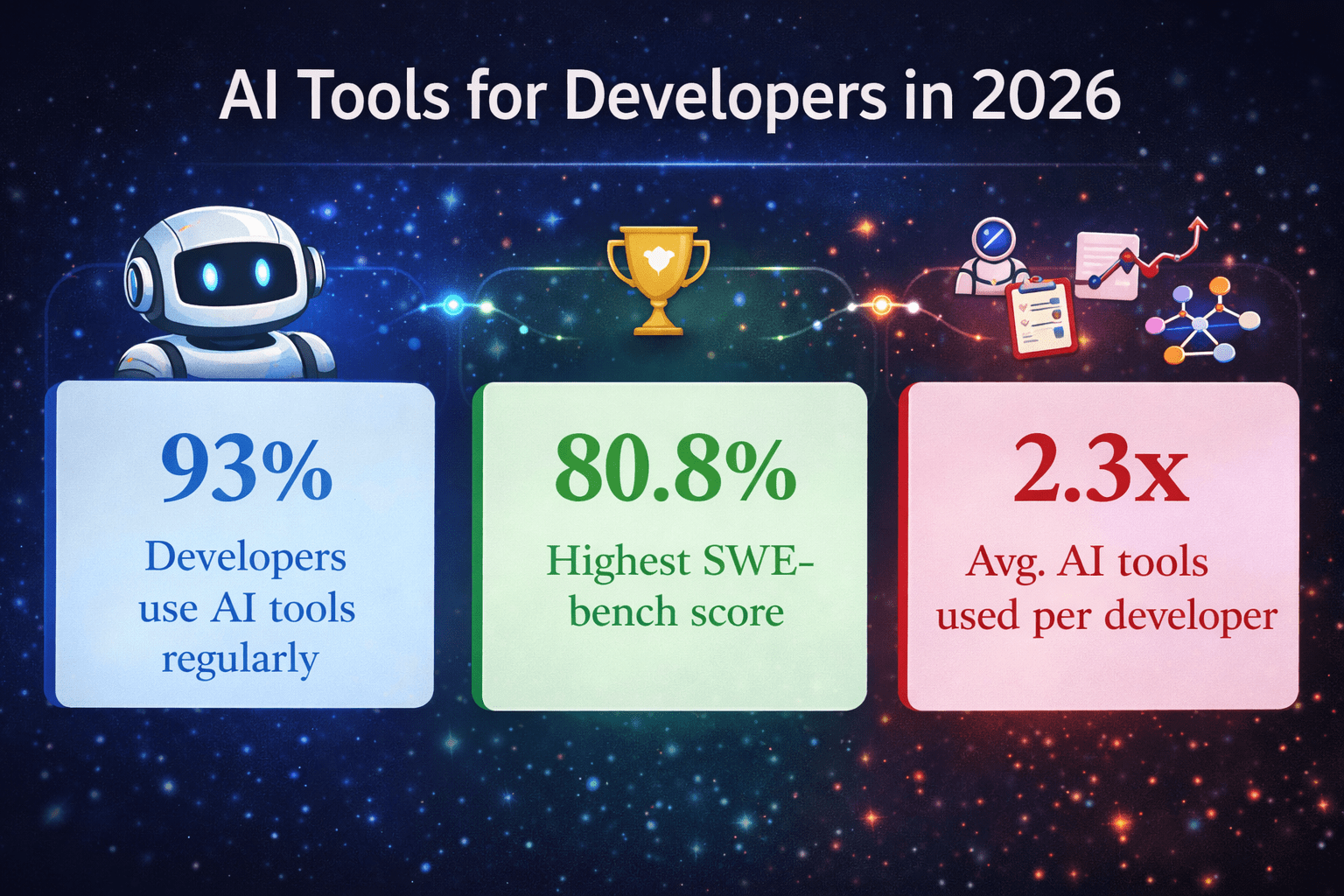
93% of developers now use AI tools daily. Are you using the right one? We tested every major AI coding assistant on real production code – here is the definitive 2026 ranking with pricing, benchmark scores, and honest recommendations.
| Metric | Value | Description |
|---|---|---|
| AI Usage (Developers) | 93% | Developers use AI tools regularly in 2026 |
| Claude Code SWE-bench | 80.8% | Highest SWE-bench score in 2026 |
| AI Tools per Developer | 2.3x | Avg. AI tools used per professional developer |
Table of Contents
What Changed in AI Coding Tools in 2026
If you last evaluated AI coding tools in 2024, you need to start over. The market in 2026 looks nothing like it did two years ago. Tools that were “glorified autocomplete” engines have transformed into autonomous coding agents that can read your entire repository, architect new features, write and run tests, fix failing builds, and open pull requests — without you touching a single file.
Three fundamental shifts define where we are today:
🤖 From Autocomplete to Agentic
Tools like Claude Code and OpenAI Codex now execute multi-step coding tasks end-to-end. You describe a feature in plain English; the AI plans it, builds it, tests it, and iterates — autonomously. This is a categorical change in what AI coding tools are.
📚 Context Windows Exploded
Claude Code’s context window reached 1 million tokens — enough to hold an entire large production codebase in a single session. This single innovation made AI tools genuinely useful for enterprise-scale projects and legacy codebases for the first time.
🔀 Model Lock-In Is Dead
GitHub Copilot now supports GPT-4o, Claude Sonnet 4.6, Gemini 2.5 Pro, and DeepSeek. Cursor supports even more. You choose the best model for each task — the era of being locked into one AI provider is over.
The result is measurable productivity gains. Teams now report 30–60 minutes saved per developer per day on complex multi-file work, and 2–4 hours saved weekly on routine tasks like boilerplate generation, test writing, and documentation.
Quick Comparison Table – All 8 AI Coding Tools at a Glance
Here is the complete side-by-side comparison of the best AI coding tools in 2026, based on real pricing, independent benchmark scores, and developer satisfaction data from multiple surveys:
| Tool | Best For | Free Tier | Starting Price | SWE-bench Score | IDE / Platform |
|---|---|---|---|---|---|
| Claude Code | Agentic tasks / Large repos | Limited | $20/mo (Pro) | 80.8% ⭐ | Terminal + Claude.ai |
| GitHub Copilot | Enterprise / VS Code | Yes (2,000/mo) | $10/mo (Pro) | 56% | VS Code, JetBrains, Vim +3 |
| Cursor | Power users / Multi-file AI | Yes (limited) | $20/mo (Pro) | 52% | Cursor IDE (VS Code fork) |
| Windsurf | Autonomous agents | Yes | $10/mo | ~50% | Windsurf IDE |
| OpenAI Codex | API / CI-CD pipelines | No | API token-based | ~80% | Browser + API |
| Tabnine | Privacy / On-premises | Yes | $12/mo | N/A | All major IDEs |
| Amazon Q Dev | AWS ecosystem | Yes | $19/mo | N/A | VS Code, JetBrains |
| Replit AI | Beginners / No-code | Yes | $7/mo | N/A | Browser-based |
📊 Sources: NxCode.io AI Coding Tools Benchmark Report, March 2026 · JetBrains Developer Ecosystem Survey 2025 · Faros AI Developer Report, Feb 2026
Top 8 AI Coding Tools Reviewed In Depth (2026)
Claude Code
🏆 Best Overall AI Coding Agent in 2026
Best for: Developers working with large codebases, complex multi-file refactoring, and autonomous end-to-end coding tasks.
Claude Code launched in May 2025 and became the most-loved AI coding tool among professional developers within its first year — achieving a 46% “most loved” rating, compared to Cursor at 19% and GitHub Copilot at just 9%. That kind of reversal in developer sentiment does not happen by accident. It happened because Claude Code solves problems that others simply cannot.
Powered by Anthropic’s Claude Opus 4.6, Claude Code scores 80.8% on SWE-bench Verified — the industry benchmark for measuring whether AI can genuinely resolve real GitHub issues. Its 1 million token context window holds entire large codebases in a single session, enabling coherent reasoning across hundreds of interdependent files.
✅ Key Strengths
- Terminal-native agentic workflow — reads files, runs shell commands, writes code, and iterates autonomously
- 1 million token context window — handles entire large repositories in a single session without truncation
- 80.8% SWE-bench Verified score — the highest among all tools in this guide as of March 2026
- Deep git integration — understands commit history, branches, diffs, and writes meaningful commit messages
- Agent Teams feature — run multiple parallel agents on different tasks simultaneously
- Integrates with Slack, Figma, Jira, and GitHub for team-wide workflows
💰 Pricing
- Claude Pro: $20/month — includes Claude Code access with reasonable usage limits
- Heavy usage (active sprints): $50–150/month via direct API
- Enterprise: Custom pricing with higher limits and org-wide controls
⚠️ Limitation: Claude Code is not an IDE extension. You work in the terminal or the Claude. ai web interface. Developers who prefer real-time inline suggestions while typing should pair it with Cursor for day-to-day coding.
GitHub Copilot
🏢 Best for Enterprise Teams & VS Code Users
Best for: Enterprise teams already invested in GitHub and VS Code who want the safest, most widely compatible AI coding assistant available.
GitHub Copilot is the tool that proved AI coding assistance could work at scale. Launched in 2021 and still holding the title of the most widely deployed AI coding tool in the world, it has evolved significantly in 2026. The biggest update: Copilot CLI reached general availability in February 2026, adding native terminal assistance. The new Copilot Coding Agent can now receive a GitHub issue, create a branch, write code, run tests, and open a pull request — autonomously.
✅ Key Strengths
- Widest IDE compatibility — VS Code, JetBrains, Visual Studio, Neovim, Vim, Eclipse
- Copilot Coding Agent — assigns issues, creates PRs, and runs CI tests autonomously
- Multi-model support — GPT-4o, Claude Sonnet 4.6, Gemini 2.5 Pro, DeepSeek (switch per task)
- Next Edit Predictions — anticipates ripple effects across the project when you change one file
- Enterprise-grade: IP indemnity, audit logs, org-wide policies, SOC 2
- Most affordable team pricing at $19/user/month (Business tier)
💰 Pricing
- Free: 2,000 completions + 50 chat messages/month
- Pro: $10/month
- Pro+: $39/month (Claude Opus 4.6, higher limits)
- Business: $19/user/month (SSO, audit logs, admin controls)
- Enterprise: $39/user/month (IP indemnity, knowledge bases)
⚠️ Limitation: Inline suggestion quality, while solid, is no longer best in class. Complex multi-file reasoning lags behind Claude Code and Cursor. Best used as the foundation tool in a multi-tool stack.
Cursor
⚡ Best AI-Native IDE for Power Users
Best for: Professional developers who do deep, multi-file work daily and want AI assistance woven into every part of their editor experience.
Cursor is a VS Code fork rebuilt entirely around AI, with over 1 million active users in 2026. It is the preferred tool for developers who want the fastest, most context-aware inline AI experience. Cursor’s Supermaven-powered tab completion is consistently rated faster and more accurate than GitHub Copilot’s. Its Composer mode — letting you edit multiple files simultaneously with AI — has become the benchmark that every other tool is trying to match.
✅ Key Strengths
- Supermaven autocomplete — the fastest and most context-aware inline completion engine available
- Composer mode — AI-driven multi-file editing with visual diffs and change previews
- Full model flexibility — GPT-5.4, Claude Opus 4.6, Gemini 3 Pro, Grok Code
- Codebase indexing — Cursor learns your code style, understands all file dependencies
- Background agents — run refactoring tasks asynchronously while you keep coding
- SOC 2 Type 2 certified — the strongest security certification of any tool in this list
💰 Pricing
- Hobby: Free (2,000 completions, limited premium model requests)
- Pro: $20/month (500 fast premium requests)
- Business: $40/user/month (SSO, admin dashboards, privacy mode)
- Pro+: $60/month · Ultra: $200/month
⚠️ Limitation: Requires the Cursor IDE — it is not a plugin for your existing editor. Heavy Composer sessions can exhaust the 500 monthly fast requests on the Pro plan within a sprint week.
Windsurf
🌊 Best for Autonomous Multi-Repo Agent Workflows
Best for: Teams working on microservices or multi-repository projects that need AI to orchestrate changes consistently across multiple codebases simultaneously.
Windsurf is built specifically for agentic orchestration, not inline editing. While Cursor excels at AI-assisted editing, Windsurf excels when you need AI to manage changes across multiple repositories and keep everything consistent — making it uniquely valuable for backend, DevOps, and platform engineering teams.
Pricing: Free tier available. Paid plans from $10/month. Team plans available for larger groups.
OpenAI Codex
🔌 Best for API Integration & CI/CD Pipelines
Best for: Development teams that want to embed AI coding capability directly into their CI/CD pipelines, internal tools, or developer platforms via API.
In 2026, OpenAI Codex is an autonomous coding environment powered by GPT-5.4, scoring approximately 80% on SWE-bench Verified — competitive with Claude Code. Its unique Computer Use API extends it beyond code: Codex can control your screen, click buttons, and automate multi-step workflows across desktop applications, making it the only tool in this list that genuinely bridges coding and general automation.
✅ Key Strengths
- Five reasoning effort levels — from instant responses to deep 30-minute analysis sessions
- Computer Use API — automates desktop workflows, not just code generation
- Sandboxed container execution — writes, runs, and validates code in isolated environments
- API-first — embed agentic coding directly into CI/CD pipelines and internal tools
- ~80% SWE-bench score — competitive with Claude Code at the top of the benchmark
Pricing: API token-based billing through the OpenAI API — costs scale with usage. No flat monthly fee for Codex specifically.
Tabnine
🔒 Best for Privacy-First & On-Premises Deployment
Best for: Enterprises in regulated industries — banking, healthcare, defence, and government tech — where source code cannot be transmitted to third-party cloud servers under any circumstances.
Tabnine’s entire value proposition rests on one promise: your code stays on your servers. In 2026, Tabnine introduced on-premises models that match cloud-based competitor quality for common coding tasks while keeping all inference behind your firewall. For Indian BFSI companies, government technology contractors, and healthcare platforms handling sensitive data, Tabnine is the only realistic option.
Pricing: Free tier available. Pro: $12/month. Enterprise: custom pricing with on-premises deployment and dedicated support.
Amazon Q Developer
☁️ Best for AWS & Cloud Development Teams
Best for: Development teams heavily invested in the AWS ecosystem — Lambda, EC2, CloudFormation, ECS, CDK, and related services.
Amazon Q Developer understands AWS in a way no general-purpose tool can match. It knows IAM policies, CloudFormation templates, CDK constructs, and AWS service documentation deeply. For teams building cloud-native applications on AWS, it generates production-ready infrastructure code and diagnoses AWS-specific errors faster than any competitor. If you are not on AWS, this tool offers limited advantage over the others.
Pricing: Free tier available. Individual Pro: $19/month. AWS organization billing available.
Replit AI
🎓 Best for Beginners & No-Code/Low-Code Developers
Best for: Students, beginners, non-technical founders, and anyone who wants to build and deploy real apps without installing anything locally.
In 2026, Replit AI covers the full workflow from idea to deployed app — entirely in the browser. Describe what you want to build; Replit AI writes, hosts, and runs it. No terminal. No local environment. No configuration. For Indian students, bootcamp learners, and non-technical co-founders who want to validate product ideas quickly, Replit removes every barrier between an idea and a working prototype.
Pricing: Free tier available. Replit Core: $7/month (most popular for students and hobbyists). Teams plan available for classrooms.
How to Choose the Right AI Coding Tool for Your Needs
The biggest mistake developers make is looking for one tool that does everything. In 2026, the top 10% of developers use an average of 2.3 AI tools simultaneously, each serving a specific role. Here is the decision framework that cuts through the confusion:
Where do you spend most of your coding time?
If you live inside VS Code writing new features, GitHub Copilot at $10/month is hard to beat. If you do complex refactoring across dozens of files every day, Cursor is worth the $20/month premium.
How large are your codebases?
For large legacy systems or monorepos with hundreds of interconnected files, Claude Code’s 1 million token context window is the only tool that handles them without truncation errors. Other tools will lose context halfway through.
Is code privacy a hard requirement?
If your code cannot leave your infrastructure — especially relevant for Indian BFSI, healthcare, and government tech — Tabnine with on-premises deployment is your only viable option. No other tool in this list supports true on-premises inference.
What is your budget?
GitHub Copilot at $10/month and Replit AI at $7/month are the best entry-level values. Claude Code via Claude Pro at $20/month is the best value for autonomous agent capabilities. For serious professionals, the $40/month Cursor + Claude Pro combination is the 2026 power stack.
Best AI Coding Tool by Use Case – Quick Reference
| Use Case | Top Pick | Runner Up |
|---|---|---|
| Best for Python developers | Claude Code | GitHub Copilot |
| Best for JavaScript / React | Cursor | GitHub Copilot |
| Best for beginners & students | Replit AI | GitHub Copilot Free |
| Best free AI coding tool | GitHub Copilot Free | Cursor Hobby |
| Best for enterprise teams | GitHub Copilot Enterprise | Cursor Business |
| Best for agentic / autonomous coding | Claude Code | OpenAI Codex |
| Best for privacy / regulated industries | Tabnine (on-premises) | GitHub Copilot Enterprise |
| Best for AWS developers | Amazon Q Developer | GitHub Copilot |
| Best for Indian developers on a budget | GitHub Copilot Pro ($10/mo) | OpenCode + DeepSeek (~$3/mo) |
Best Free AI Coding Tools Worth Using in 2026
You do not need to spend money to access genuinely powerful AI coding assistance in 2026. These free options are production-worthy starting points:
🥇
GitHub Copilot Free
2,000 code completions + 50 chat messages per month. Works inside VS Code immediately after installing the extension. Best free tier for IDE-integrated AI coding — full stop.
🥈
Cursor Hobby (Free)
2,000 completions and limited premium model requests monthly. Best free multi-file editing experience available.
🥉
OpenCode (Open Source) + DeepSeek API
OpenCode has 95,000+ GitHub stars as of early 2026. Pair it with a DeepSeek API key for roughly $2–5/month total. This is the best near-free setup for developers who want serious quality without subscriptions.
🎓
Replit AI Free
Build and deploy browser-based apps at no cost. Enough for learning, small projects, and validating startup ideas without any local setup.
💡 Developer Tip for Indian Developers
The best zero-cost AI coding setup in 2026: GitHub Copilot Free for daily inline coding + Claude.ai free tier for complex debugging and architecture questions. This combination handles 80% of everyday development tasks at no cost whatsoever — and it works for Python, JavaScript, Java, and most other stacks.
Frequently Asked Questions
Which is the best AI coding tool overall in 2026?
Claude Code ranks #1 on technical benchmarks (80.8% SWE-bench), developer satisfaction (46% most loved rating), and raw capability for complex autonomous tasks. However, “best” genuinely depends on workflow. Cursor is the best if you want a fully AI-integrated IDE experience. GitHub Copilot is the best for broad IDE compatibility and team value at scale.
Is GitHub Copilot still worth it in 2026?
Yes — especially at $10/month. GitHub Copilot’s inline completion experience is no longer best in class, but its breadth of IDE support, multi-model flexibility, and enterprise feature set make it the safest and most accessible choice for most teams. The new Copilot Coding Agent (autonomous PR creation) adds genuine value for teams using GitHub for project management.
Can AI coding tools replace software developers in 2026?
No — not in 2026, and not in the foreseeable future. AI coding tools automate repetitive boilerplate tasks and accelerate execution. They cannot replace systems thinking, product judgment, stakeholder communication, security reasoning, or the ability to define what to build and why. Developers who use AI well are dramatically more productive; developers who avoid it are at an increasing competitive disadvantage.
Which AI coding tool is best for learning to code?
Replit AI is the best starting point — no local setup required, browser-based, and it explains what it builds as it goes. For students who want to learn proper development workflows inside a real IDE, GitHub Copilot Free is the better option because it teaches you to work in a professional development environment from the start.
What is the best AI coding tool for Python specifically?
Claude Code leads for Python on complex tasks — data pipelines, ML model code, API design, and test generation. GitHub Copilot is excellent for Python, with the widest library knowledge base. For data scientists and ML engineers working on Jupyter notebooks and pandas/NumPy/PyTorch workflows, Claude Code’s ability to reason across entire data science projects makes it the standout choice.
Should I use one AI coding tool or multiple in 2026?
Multiple is completely normal in 2026 — professional developers use an average of 2.3 AI tools simultaneously, each serving a specific purpose. The most common and effective combination: Cursor (or Copilot) for daily inline coding + Claude Code for large agentic tasks and complex architecture sessions. These two cost $30–40/month combined and cover virtually every coding scenario.
Final Verdict – Our Recommended AI Coding Stacks for 2026
🎓Student / Beginner $0/month
GitHub Copilot Free + Replit AI Free. Everything you need to learn, build, and deploy — at zero cost.
💼Freelancer / Solo Developer $30/month
GitHub Copilot Pro ($10/mo) + Claude Pro ($20/mo). The best value combination for full-stack professional development. Covers every day-to-day scenario and complex agentic tasks.
⚡Professional / Power User $40/month
Cursor Pro ($20/mo) + Claude Code via Pro ($20/mo). The 2026 power stack. Use Cursor for daily IDE coding and inline completion; Claude Code for large-scale agentic tasks, architectural refactoring, and autonomous feature development.
🏢Enterprise Team$19–40/user/month
GitHub Copilot Business ($19/user) for the team baseline + Cursor Business ($40/user) for senior engineers. Add Tabnine if your industry requires on-premises code processing.
Sources & Further Reading
All data and statistics cited in this article are sourced from publicly available reports, developer surveys, and official product documentation. Last verified: March 2026.
- JetBrains AI Blog — Best AI Models for Coding: Accuracy, Integration and Developer Fit (Feb 2026)
- Faros AI — Best AI Coding Agents for 2026 (Developer Usage Report)
- NxCode — Best AI for Coding in 2026: 10 Tools Ranked with SWE-bench Data
- Qodo — 15 Best AI Coding Assistant Tools in 2026 (Updated)
- CosmicJS — Claude Code vs GitHub Copilot vs Cursor: Which AI Coding Agent Should You Use in 2026?
- NxCode — GitHub Copilot vs Cursor 2026: Which Is Worth Paying For?
- ModelsLab — GitHub Copilot vs Cursor vs Claude Code: Pricing Comparison 2026
- DigitalOcean — Claude Code Alternatives for AI-Powered Coding (Feb 2026)
- Replit — Best AI Coding Assistants 2026
- DEV Community — Claude Code vs Cursor vs GitHub Copilot: Honest Comparison 2026



Leave a Reply